
Technology for Small Business: Smart Tools That Help Companies Grow

Technology has become an important part of running a small business. A company does not need a huge budget or a large IT department to benefit from modern tools. The right technology can make everyday work easier, improve communication, save time, and help a small team compete with much larger businesses.

From accounting software to communication platforms and cloud storage, there are many options available today. The challenge is choosing technology that actually solves a business problem instead of adding unnecessary complexity.

Why Technology Matters for Small Business

Small businesses often work with limited staff, time, and money. Employees may have to handle several responsibilities at once, which can make routine tasks difficult to manage. Technology can reduce this pressure by taking care of repetitive work and keeping important information organized.

For example, cloud-based software allows employees to access files from different locations. Online payment systems make it easier to receive money from customers, while project management tools help teams keep track of deadlines and responsibilities.

Good technology should not simply look impressive. It should make the business more efficient and give employees more time to focus on customers and important projects.

Useful Technology for Small Business

There are several areas where technology can make a noticeable difference.

1. Cloud Storage

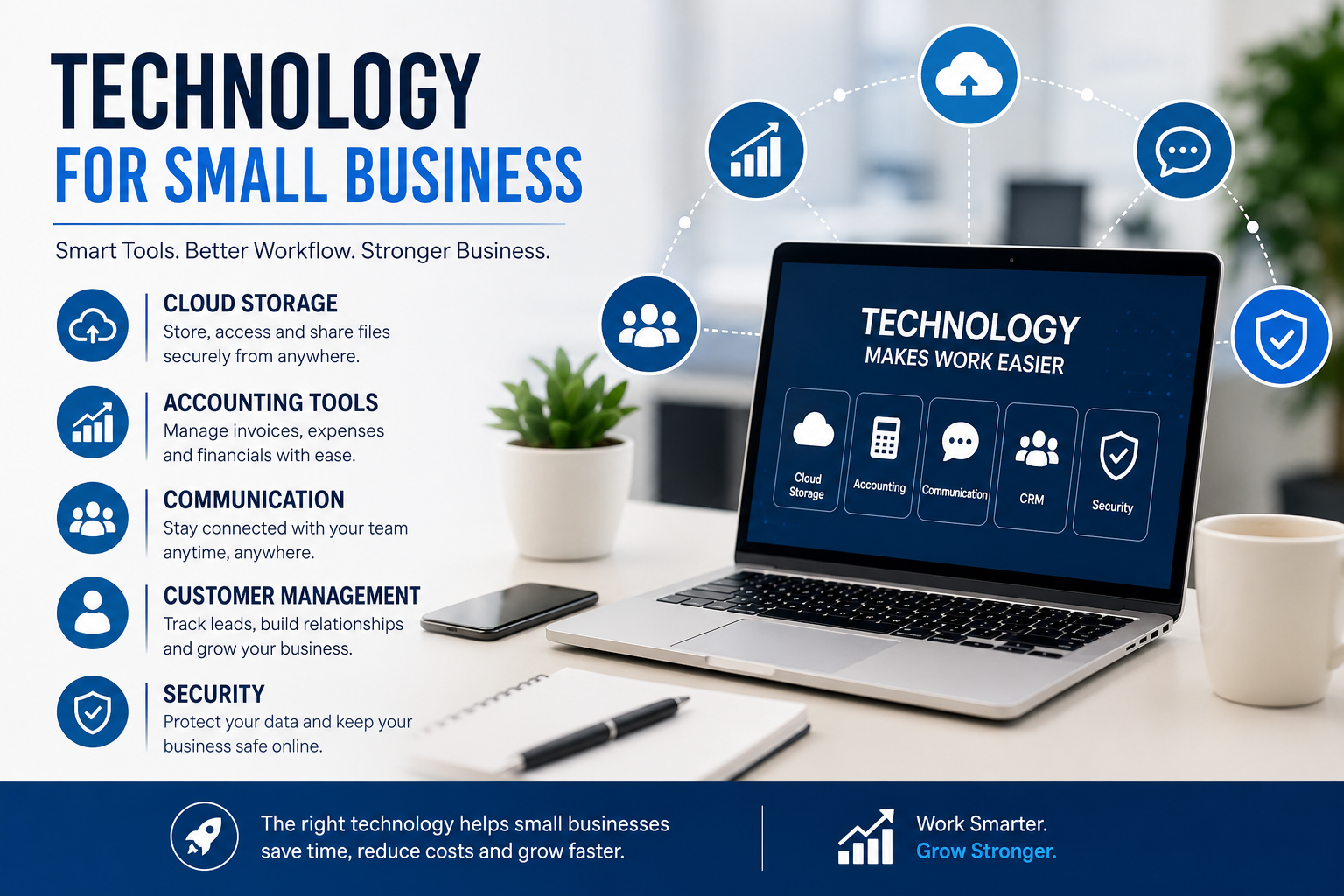
Cloud storage allows businesses to keep documents and other important files online. Instead of depending on one office computer, employees can access approved files from different devices.

This can also make collaboration easier. Team members can work on documents, share information, and keep files organized without constantly sending attachments through email.

2. Accounting and Financial Tools

Managing finances is one of the most important responsibilities of a small business. Accounting software can help with invoices, expenses, payments, and financial records.

Automating simple financial tasks can reduce manual errors and save business owners considerable time. It also makes it easier to understand where money is being spent.

3. Communication Software

Email remains useful, but businesses often need faster ways to communicate internally. Messaging and video meeting platforms can help employees communicate when they are working from different locations.

A well-organized communication system can prevent important information from getting lost in long email conversations.

4. Customer Management Tools

Customer relationship management software can help businesses keep track of customers, leads, conversations, and sales opportunities.

Even a small company can benefit from having customer information stored in one place. Employees can quickly understand previous interactions and provide more consistent service.

Choosing the Best Technology Websites

The internet is full of technology resources, but not every website provides useful information for business owners. The best technology websites usually explain new products, software, security developments, and practical business applications in a way that is easy to understand.

When researching a new tool, business owners should look beyond promotional claims. It is useful to compare features, pricing, security, customer reviews, and compatibility before making a decision.

Technology websites can also help small businesses stay informed about new developments. A tool that may seem unnecessary today could become useful as the company grows.

Security Should Be a Priority

Using more technology also creates additional security responsibilities. Small businesses can become targets for phishing attacks, stolen passwords, malware, and other online threats.

Basic security practices can make a significant difference. Businesses should use strong passwords, enable two-factor authentication where possible, keep software updated, and regularly back up important information.

Employees should also receive basic cybersecurity training. A simple mistake, such as opening a suspicious attachment, can create serious problems for a company.

Do Not Buy Technology Just Because It Is New

One common mistake is purchasing software simply because other businesses are using it. Every company has different needs.

Before choosing a technology solution, ask a few simple questions:

  • What problem will this tool solve?
  • Will employees actually use it?
  • Does it fit the current budget?
  • Can it grow with the business?
  • Does it protect customer and company information?

These questions can prevent unnecessary expenses and help businesses choose tools with real long-term value.

Final Thoughts

Technology for small business is not about having the largest collection of software. It is about choosing practical solutions that make work easier and improve the customer experience.

Cloud services, accounting tools, communication platforms, customer management systems, and security software can all play an important role. By researching options through reliable best technology websites and selecting tools based on actual business needs, small companies can use technology to work smarter, remain competitive, and prepare for future growth.

Best Customer Service Software: Top Tools for Better Customer Support in 2026

Customer service software helps businesses manage customer questions, support requests, tickets, live chats, emails, and other conversations from a more organized system. For growing companies, the right platform can reduce repetitive work, improve response times, and give support teams a clearer view of customer issues.

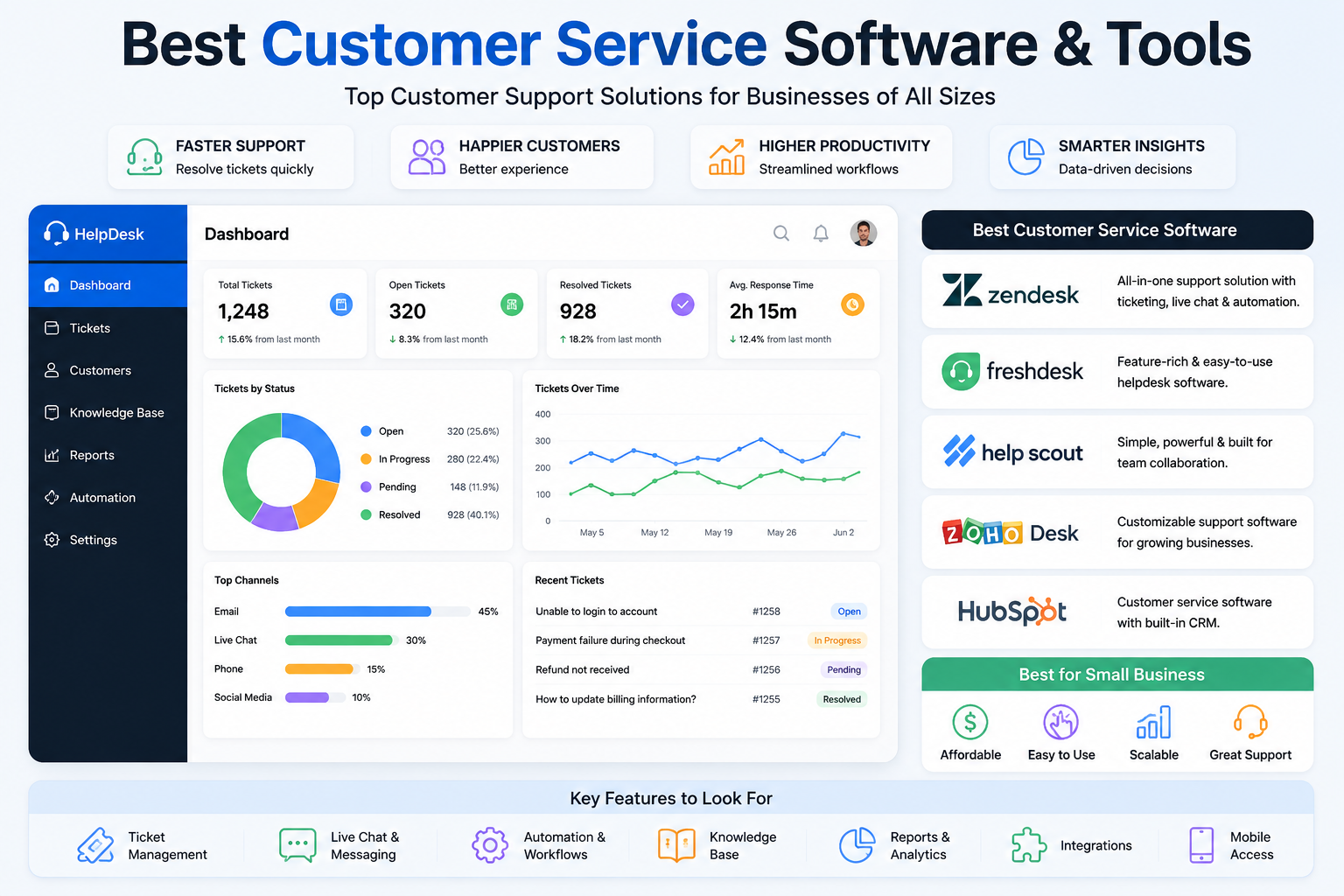
With so many options available, choosing the best customer service software depends on factors such as business size, support channels, automation, integrations, reporting, pricing, and ease of use. Current 2026 comparisons include platforms such as Zendesk, Freshdesk, Help Scout, Zoho Desk, HubSpot Service Hub, Intercom, and others.

What Is Customer Service Software?

Customer service software is designed to help businesses organize and manage customer interactions. Depending on the platform, it can combine email, live chat, ticket management, phone support, social messaging, knowledge bases, automation, and reporting in one system.

Instead of keeping customer requests scattered across different inboxes and communication channels, support teams can use a centralized platform to track conversations and assign requests to the appropriate team members.

Important features commonly include:

  • Ticket management
  • Shared inboxes
  • Live chat
  • Email support
  • Knowledge bases
  • Customer portals
  • Automation
  • AI-powered support
  • Reporting and analytics
  • Third-party integrations

Best Customer Service Software

1. Zendesk

Zendesk is a strong option for businesses that need a comprehensive customer support platform. It offers ticketing, omnichannel support, automation, AI capabilities, reporting, and a large integration ecosystem. Technology Advice currently lists Zendesk as its overall top customer service software for 2026.

It can be particularly useful for larger support teams with more complex workflows and multiple customer communication channels.

2. Freshdesk

Freshdesk is worth considering for growing businesses and small teams looking for customer service features without starting with an overly complicated system. Current comparisons highlight its ticketing, shared inbox, SLA tools, reporting, and AI capabilities.

Its relatively straightforward setup also makes it suitable for businesses that want to organize customer support quickly.

3. Help Scout

Help Scout focuses on a simpler, email-first support experience. It can be a good choice for small teams that want a shared inbox and customer conversations without the complexity of a large enterprise support platform.

4. Zoho Desk

Zoho Desk is another option for businesses that want customizable ticket workflows, knowledge-base functionality, analytics, and AI assistance. G2 lists Zoho Desk among its small-business digital customer service platforms.

5. HubSpot Service Hub

HubSpot Service Hub is particularly useful for businesses that want customer service connected with CRM data. It combines service functions with customer information and automation, making it useful for companies already working within the HubSpot ecosystem.

Best Customer Service Tools for Small Business

Small businesses generally need software that is affordable, easy to set up, and capable of handling their most important support channels. Paying for advanced enterprise features that a small team never uses can unnecessarily increase costs.

Current 2026 comparisons identify options such as Freshdesk, Help Scout, Zoho Desk, Tidio, and other platforms for smaller teams, depending on their specific needs.

When comparing customer service software for small business, consider:

  1. Pricing – Look at the total monthly cost as your team grows.
  2. Ease of use – Your employees should be able to learn the platform quickly.
  3. Ticket management – Make sure customer requests can be tracked from beginning to resolution.
  4. Automation – Automated assignments and responses can reduce repetitive work.
  5. Integrations – Check compatibility with your CRM, ecommerce platform, email, and other tools.
  6. Reporting – Good analytics can help identify response-time and support problems.
  7. Scalability – Choose software that can continue supporting your business as it grows.

What Makes the Best Customer Support Software?

The best customer support software isn’t necessarily the platform with the most features. The right choice depends on your business requirements.

For example, a small ecommerce company may prioritize live chat and order-related support, while a larger company may need advanced ticket routing, reporting, automation, and multiple communication channels.

AI is also becoming an important part of modern customer support platforms. Current solutions increasingly include AI assistants, automated responses, chatbots, and tools designed to help agents resolve customer questions more efficiently.

Final Thoughts

Choosing the best customer service software can make it easier to organize customer requests, improve team productivity, and deliver faster support. For small businesses, prioritize affordability, ease of use, essential support features, and scalability rather than choosing the most complicated platform.

Before purchasing, compare features, pricing, integrations, automation, and the communication channels your customers actually use. Since software pricing and packages can change, verify current pricing directly with each provider before making a final decision.

AI Productivity Tools: How They Can Save Time and Boost Your Efficiency in 2026

In today’s fast-moving digital world, getting more done in less time has become important for businesses, freelancers, students, and professionals. AI productivity tools are becoming useful for everyday tasks such as writing, research, organization, communication, scheduling, and workflow automation.

Instead of replacing every part of human work, these tools can handle repetitive tasks and help people spend more time on work that requires creativity, judgment, and decision-making. Major technology companies are also adding AI features directly into workplace software.

What Are AI Productivity Tools?

AI productivity tools are software applications that use artificial intelligence to help users complete tasks more efficiently. Depending on the tool, they can help with writing, summarizing information, organizing notes, analyzing data, creating presentations, managing projects, or automating routine workflows.

For example, an AI assistant can turn a long document into a short summary, help organize ideas, or create a first draft that a person can review and improve.

The goal is simple: reduce repetitive work while helping users work more efficiently.

Why Are AI Productivity Tools Becoming Popular?

One reason for their popularity is the amount of time people spend on repetitive digital tasks. Email, documentation, research, meetings, data organization, and content creation can consume a significant part of the workday.

AI can assist with some of these activities. Google, for example, has continued adding AI capabilities to Gmail, Docs, Drive, Meet, and other Workspace products.

For small businesses and independent professionals, this can be particularly useful because a small team can use technology to handle tasks that previously required more manual effort.

Key Benefits of AI Productivity Tools

1. Save Time

One of the biggest advantages is reducing the time spent on repetitive activities. AI can help create drafts, summarize information, organize content, and assist with routine communication.

Instead of starting everything from scratch, users can begin with an AI-generated draft and then add their own knowledge and judgment.

2. Improve Organization

AI-powered tools can help organize notes, tasks, documents, and information. This can make it easier to find important details and keep projects moving.

Some modern productivity platforms can connect information across different workplace applications, helping users work with documents, emails, calendars, and other sources more efficiently.

3. Support Better Research

Research can involve reading large amounts of information before reaching a conclusion. AI tools can assist by summarizing documents, identifying important points, and helping users organize research questions.

However, important information should still be checked against reliable sources. AI assistance should support research rather than replace verification.

4. Help With Content Creation

Writers, marketers, and business owners can use AI for brainstorming, outlines, drafts, editing, and idea generation.

The strongest results usually come when people provide their own expertise and review the output rather than publishing AI-generated material without checking it.

5. Automate Repetitive Work

Some AI productivity platforms can assist with workflows and repetitive business processes. This can be useful for tasks such as organizing information, creating routine reports, or moving information between applications.

Recent developments in AI are increasingly focused on workflow automation and AI agents that can perform multi-step tasks.

Popular Types of AI Productivity Tools

There is no single AI tool that is perfect for everyone. Different tools are designed for different needs.

Common categories include:

  • AI writing assistants for drafting and editing
  • AI research tools for summarizing and organizing information
  • AI meeting assistants for notes and summaries
  • AI project management tools for tasks and planning
  • AI design tools for images and presentations
  • AI coding assistants for developers
  • AI automation platforms for repetitive workflows

Modern AI productivity guides include tools for writing, coding, research, design, communication, and workflow automation.

How Small Businesses Can Use AI Productivity Tools

Small businesses do not necessarily need dozens of AI applications. A better approach is to identify tasks that consume too much time and find a tool that addresses that specific problem.

For example, a small company could use AI to help organize customer emails, summarize meetings, prepare marketing drafts, analyze information, or automate repetitive administrative tasks.

Recent research and industry analysis also suggests that businesses get more value when they redesign workflows around AI instead of simply adding more AI tools.

Tips for Choosing the Right AI Productivity Tool

Before choosing an AI tool, consider what you actually need it to do.

Ask yourself:

  1. What task takes the most time?
  2. Can AI realistically help with that task?
  3. Does the tool integrate with software you already use?
  4. Is the pricing reasonable for your needs?
  5. How does the service handle your data?
  6. Can you easily review and correct its output?

Starting with one useful tool is often better than subscribing to several platforms that perform similar functions.

Final Thoughts

AI productivity tools can make everyday work easier by assisting with writing, research, organization, communication, and repetitive workflows. They are especially useful when they solve a specific problem rather than being adopted simply because AI is popular.

The best approach is to use AI as an assistant while keeping human judgment involved. Review important information, protect sensitive data, and choose tools that genuinely improve your workflow.

As AI continues developing in 2026, productivity software is becoming more capable and more integrated into everyday work. For professionals, freelancers, and businesses, learning how to use these tools responsibly can be a practical way to save time and focus on higher-value work.