
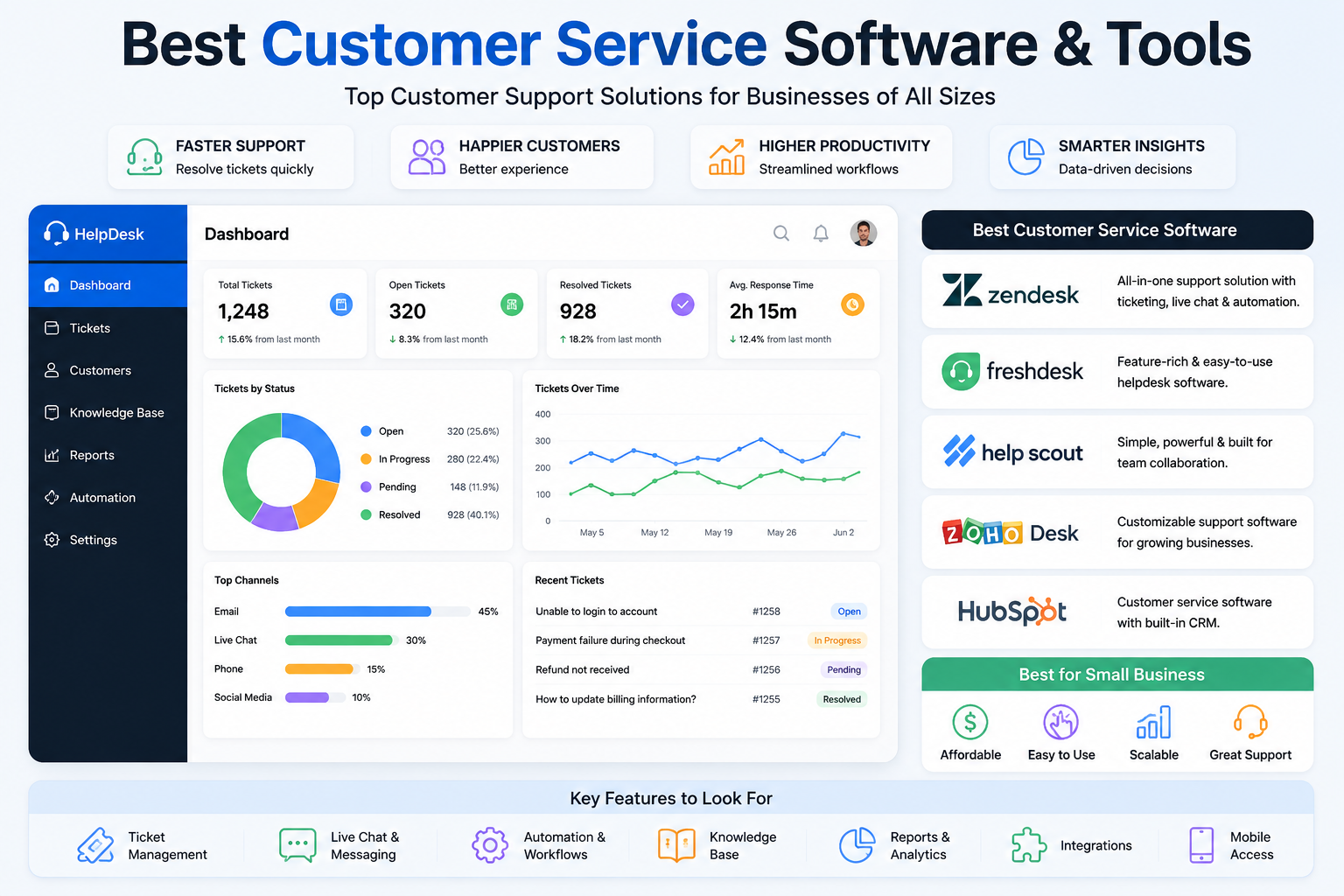

Customer service software helps businesses manage customer questions, support requests, tickets, live chats, emails, and other conversations from a more organized system. For growing companies, the right platform can reduce repetitive work, improve response times, and give support teams a clearer view of customer issues.
With so many options available, choosing the best customer service software depends on factors such as business size, support channels, automation, integrations, reporting, pricing, and ease of use. Current 2026 comparisons include platforms such as Zendesk, Freshdesk, Help Scout, Zoho Desk, HubSpot Service Hub, Intercom, and others.
What Is Customer Service Software?
Customer service software is designed to help businesses organize and manage customer interactions. Depending on the platform, it can combine email, live chat, ticket management, phone support, social messaging, knowledge bases, automation, and reporting in one system.
Instead of keeping customer requests scattered across different inboxes and communication channels, support teams can use a centralized platform to track conversations and assign requests to the appropriate team members.
Important features commonly include:
- Ticket management
- Shared inboxes
- Live chat
- Email support
- Knowledge bases
- Customer portals
- Automation
- AI-powered support
- Reporting and analytics
- Third-party integrations
Best Customer Service Software
1. Zendesk
Zendesk is a strong option for businesses that need a comprehensive customer support platform. It offers ticketing, omnichannel support, automation, AI capabilities, reporting, and a large integration ecosystem. Technology Advice currently lists Zendesk as its overall top customer service software for 2026.
It can be particularly useful for larger support teams with more complex workflows and multiple customer communication channels.
2. Freshdesk
Freshdesk is worth considering for growing businesses and small teams looking for customer service features without starting with an overly complicated system. Current comparisons highlight its ticketing, shared inbox, SLA tools, reporting, and AI capabilities.
Its relatively straightforward setup also makes it suitable for businesses that want to organize customer support quickly.
3. Help Scout
Help Scout focuses on a simpler, email-first support experience. It can be a good choice for small teams that want a shared inbox and customer conversations without the complexity of a large enterprise support platform.
4. Zoho Desk
Zoho Desk is another option for businesses that want customizable ticket workflows, knowledge-base functionality, analytics, and AI assistance. G2 lists Zoho Desk among its small-business digital customer service platforms.
5. HubSpot Service Hub
HubSpot Service Hub is particularly useful for businesses that want customer service connected with CRM data. It combines service functions with customer information and automation, making it useful for companies already working within the HubSpot ecosystem.
Best Customer Service Tools for Small Business
Small businesses generally need software that is affordable, easy to set up, and capable of handling their most important support channels. Paying for advanced enterprise features that a small team never uses can unnecessarily increase costs.
Current 2026 comparisons identify options such as Freshdesk, Help Scout, Zoho Desk, Tidio, and other platforms for smaller teams, depending on their specific needs.
When comparing customer service software for small business, consider:
- Pricing – Look at the total monthly cost as your team grows.
- Ease of use – Your employees should be able to learn the platform quickly.
- Ticket management – Make sure customer requests can be tracked from beginning to resolution.
- Automation – Automated assignments and responses can reduce repetitive work.
- Integrations – Check compatibility with your CRM, ecommerce platform, email, and other tools.
- Reporting – Good analytics can help identify response-time and support problems.
- Scalability – Choose software that can continue supporting your business as it grows.
What Makes the Best Customer Support Software?
The best customer support software isn’t necessarily the platform with the most features. The right choice depends on your business requirements.
For example, a small ecommerce company may prioritize live chat and order-related support, while a larger company may need advanced ticket routing, reporting, automation, and multiple communication channels.
AI is also becoming an important part of modern customer support platforms. Current solutions increasingly include AI assistants, automated responses, chatbots, and tools designed to help agents resolve customer questions more efficiently.
Final Thoughts
Choosing the best customer service software can make it easier to organize customer requests, improve team productivity, and deliver faster support. For small businesses, prioritize affordability, ease of use, essential support features, and scalability rather than choosing the most complicated platform.
Before purchasing, compare features, pricing, integrations, automation, and the communication channels your customers actually use. Since software pricing and packages can change, verify current pricing directly with each provider before making a final decision.